
Best Dental Clinic Management Software in 2026: Easy Guide
Choose the best dental clinic management software in 2026 to streamline appointments, patient records, and billing. Book your free demo with Takneek today.

Choosing the right dental clinic management software can feel overwhelming when your waiting room is full and your front desk staff is juggling phone calls, paper charts, and payment receipts. A patient calls asking if their crown has arrived from the lab, while another waits at the counter for a written prescription. Managing chair time and tracking patient follow-ups on paper quickly leads to missed appointments and lost details.
Implementing modern dental clinic management software helps you organize clinical records, treatment plans, and daily register entries without installing heavy computer hardware. This guide will help you evaluate key features like automated WhatsApp reminders, lab tracking, and GST-compliant billing, giving you the practical clarity needed to make the right choice for your practice.
Whether you run a single-chair clinic in Bhopal or oversee multiple locations, selecting reliable dental clinic management software gives you complete visibility over your day. Let us explore why modern practices need digital clinic workflows to replace chaotic paper registers and build a predictable daily routine.
Table of Contents
- Why Modern Practices Need Digital Clinic Workflows
- Key Features of Dental Clinic Management Software
- Streamlining Patient Scheduling and Automated Reminders
- Managing Dental Billing, POS, and Treatment Plans
- Evaluating Costs for Dental Clinic Management Software
- Data Privacy, Backups, and Security Standards
- How to Choose Dental Clinic Management Software
- How to Get Started with Dental OS for Your Practice
- Frequently Asked Questions
- Final Thoughts on Dental Clinic Management Software
Why Modern Practices Need Digital Clinic Workflows
Transitioning from physical registers to modern dental clinic management software eliminates the constant headache of lost files and illegible handwriting. When front-desk staff search through stacks of paper folders for an old patient record, consultation rooms sit idle. Digital workflows replace damaged paper charts with instant patient lookups, keeping daily operations smooth.
Reducing Reception Congestion and Wait Times
Unclear waiting times create friction in busy reception areas across towns like Bhopal. Implementing dental clinic management software gives your reception team clear digital queue tracking for every patient arrival. Suppose a patient arrives for a root canal procedure while two others wait for consultations; assigning a live digital token shows everyone their exact order, keeping the waiting room calm.
Centralizing clinical records protects your practice history over the long term. A robust dental clinic management software platform stores clinical notes, treatment plans, and digital X-rays in one accessible profile. Dental professionals registered with the Dental Council of India can review complete patient histories before beginning complex treatments.
Boosting Productivity and Retention
Manual follow-ups often fall through the cracks during busy afternoon hours. A structured digital workflow simplifies daily patient touchpoints across your practice:
- Automatically sending appointment confirmations and recall notices via WhatsApp.
- Giving doctors instant access to past treatment notes during consultations.
- Tracking post-treatment feedback requests directly after procedures finish.
Automated communication addresses one of the biggest causes of lost clinic time: unconfirmed appointments. When patients receive prompt reminders and follow-up notices on their phones, no-show rates drop and recall visits happen on schedule. Adopting reliable dental clinic management software ultimately frees up your staff to focus on clinical care rather than administrative paperwork.
Key Features of Dental Clinic Management Software

Essential Features for Daily Practice
When evaluating modern dental clinic management software, tooth charting is where your clinical workflow begins. Instead of writing paper notes, you click a 2D or 3D visual mouth map, select a tooth like 46, and record findings such as deep caries. Look for systems that allow immediate attachment of periodontal records and treatment plans during the consultation.
A major operational drag in busy practices across Bhopal is patient no-shows. Efficient dental clinic management software handles patient communication by sending instant WhatsApp appointment confirmations and automated visit reminders through official cloud integration. The patient receives a simple message with date details and a token, reducing front-desk follow-up calls.
Lab Tracking and Financial Workflow
An ideal dental clinic management software connects clinical treatments directly to invoice generation. If a procedure costs ₹8,500, the bill pulls recorded services straight from the treatment plan, accepting UPI or Razorpay online payments. You can then track daily revenue reports without balancing physical ledgers.
Managing dental lab work requires careful tracking from dispatch to delivery. Look for software that logs crowns, dentures, and aligners through every step, linking lab invoices straight to patient billing.
- Dispatch item to external lab with clear design instructions.
- Monitor real-time status updates until the unit arrives at your clinic.
- Automatically attach lab vendor costs to the final patient invoice.
Finally, digital prescription features inside your dental clinic management software eliminate pen-and-paper delays. You can select pre-built medication templates for routine extractions or root canals and dispatch prescriptions directly to the patient's WhatsApp within seconds. Be cautious of platforms that lock your clinical templates or do not allow quick edits to drug dosages.
Streamlining Patient Scheduling and Automated Reminders
Modern dental clinic management software allows your front desk to configure chair-side calendar slots based on specific procedures. Instead of fixed thirty-minute blocks, your receptionist can assign fifteen minutes for routine checkups and forty-five minutes for root canal treatments. This prevents crowded waiting rooms and gives each doctor predictable consultation times.
Look for a system that sends instant notifications as soon as a booking is confirmed. Connecting your scheduler to the official WhatsApp Business Platform ensures instant alerts reach the patient's phone. These messages can include consultation times, clinic location maps, and pre-visit care instructions.
Streamlining Queue Flow and Reminders
When selecting dental clinic management software, look for automated recall systems that manage unexpected cancellations. If a patient cancels two hours before their visit, the queue display updates immediately, allowing staff to rebook standby patients without calling through manual registers.
Here is how an automated workflow handles schedule updates:
- Step 1: Front desk reschedules or cancels a booking on the central calendar.
- Step 2: The system updates the live waiting room queue screen.
- Step 3: Standby patients receive an automated WhatsApp notification offering the open time slot.
Addressing missed visits requires persistent, friendly communication rather than manual phone calls. In practice, automated recall notices and patient-facing digital tools make a significant impact on attendance. For example, a 5-branch dental clinic network in Indore uses a branded patient app; no-shows fell 40%.
Online Self-Booking for Patients
Robust dental clinic management software should provide a branded web link that you can share across Google Maps or social profiles. Patients select their preferred doctor, choose an available time slot, and receive immediate booking details without calling your reception.
Having an integrated online scheduler reduces friction for busy working professionals who book appointments after clinical hours. When choosing dental clinic management software, ensure that web bookings sync instantly with your live chair calendar to avoid double-booking errors.
Managing Dental Billing, POS, and Treatment Plans

Structured Estimates and Installments
Complex procedures like root canals, implants, or orthodontics involve multiple visits. When presenting these treatment plans, modern dental clinic management software allows you to build clear, itemized estimates broken down by visit. You can print or send the estimate directly to the patient's phone before starting clinical work.
Suppose a full-mouth restoration costs ₹25,000 across four appointments. Rather than demanding a lump sum upfront, you can split the balance into structured installment plans tied to specific clinical milestones.
Using dental clinic management software to set up staged billing keeps financial expectations transparent. When patients know exactly what to pay at each visit, payment delays drop significantly. A common trap to watch out for is forgetting to link clinical notes to billing items, which can lead to unbilled procedures.
Payment Collection and Daily Reporting
Your front desk needs flexible point-of-sale options to collect fees smoothly. Look for modern systems that accept digital payments via UPI QR codes, debit or credit cards, and cash within the same checkout workflow.
Here is a simple process for managing unpaid balances:
- Record the remaining balance against the active treatment plan at checkout.
- Schedule automated WhatsApp reminders for upcoming payment due dates.
- Review real-time ledger updates as patients complete online or counter payments.
With built-in tracking in your dental clinic management software, the front desk no longer needs to manually cross-check paper ledgers or bank statements. Automated reminder messages politely notify patients about pending dues without taking up staff phone time.
At the end of the evening, reliable dental clinic management software generates a clear daily collection report for practice owners. Clinic owners in Bhopal can easily check total cash collected, UPI settlements, doctor-wise revenue splits, and pending balances before closing for the night.
Evaluating Costs for Dental Clinic Management Software
When picking a dental clinic management software, the pricing model directly affects your monthly cash flow. Traditional desktop licenses demand high upfront payments and local server hardware. Cloud subscriptions spread costs into predictable monthly or yearly payments while hosting your records safely online.
Setup Fees and Running Expenses
Beyond recurring fees, check what is required to get started. Most cloud tools run on standard laptops or tablets, so you avoid buying specialized servers. Always ask if onboarding, data migration from paper registers, and team training are included or charged as add-ons.
Hidden operational expenses often appear in patient communication. Traditional per-SMS charges add up quickly as patient volume grows. Modern dental clinic management software uses WhatsApp automation to send booking confirmations, recall alerts, and digital prescriptions without accumulating individual per-text fees.
Measuring Return on Investment
Calculating return on investment comes down to front-desk efficiency and filled chairs. Suppose a missed procedure costs your practice ₹2,500 in empty chair time. Automatically confirming appointments through DentalOS reduces empty slots, meaning a single saved appointment can recover your entire monthly software bill.
Selecting scalable dental clinic management software ensures you only pay for features you actively use today. A solo practitioner might begin with core billing and scheduling, then upgrade to multi-chair analytics later. Evaluating tier options prevents paying for unused tools while ensuring your dental clinic management software expands as your practice grows.
Consider these three evaluation criteria when reviewing pricing plans:
- Starter tiers: Ideal for new clinics needing a website and simple appointment forms.
- Clinical essentials: Covers interactive charting, queue management, and inventory tracking for daily workflows.
- Growth options: Adds multi-branch support in cities like Indore, automated recall notices, and custom patient apps.
Data Privacy, Backups, and Security Standards
Protecting Patient Records and Daily Backups
Protecting patient records starts with strong encryption. Reliable dental clinic management software encrypts sensitive X-rays, clinical notes, and medical histories both while sent over the internet and while stored on servers. This keeps confidential health data safe from unauthorized eyes.
Automated cloud backups prevent permanent data loss from hardware failure. Instead of relying on external hard drives that can get damaged or misplaced, modern systems save daily snapshots to secure cloud servers. Suppose your clinic laptop crashes on a busy morning in Indore. You can simply open a tablet, log in, and continue work without losing a single patient record.
Staff Permissions and Activity Tracking
Controlling who sees what in your dental clinic management software protects both patient privacy and business revenue. Role-based access control allows you to assign specific view and edit permissions based on staff roles.
- Reception staff: View appointment schedules, issue bills, and collect payments.
- Associate dentists: Access treatment plans, enter clinical notes, and write prescriptions.
- Clinic owner: View all clinical records, financial reports, and modify system settings.
Audit logs track every change made within the system. If an associate edits a treatment plan or a receptionist alters a billing entry, your dental clinic management software records the precise timestamp and user account. What to watch out for: ensure staff members never share login accounts, or your audit trail becomes useless.
Multi-device access lets doctors check clinical schedules from phones, tablets, or home laptops securely. Look for platforms that support two-factor authentication and automatic session logouts on idle devices. Secure dental clinic management software gives practice owners complete control over data safety across every screen in the clinic.
How to Choose Dental Clinic Management Software
Before shortlisting any platforms, calculate your daily patient footfall and list your primary operational bottlenecks. A single-chair setup handling 10 patients daily needs clear scheduling, while a multi-chair clinic requires live queue displays and doctor coordination. Choosing the right dental clinic management software starts with mapping these operational demands to actual feature lists.
Evaluating Usability and Local Support
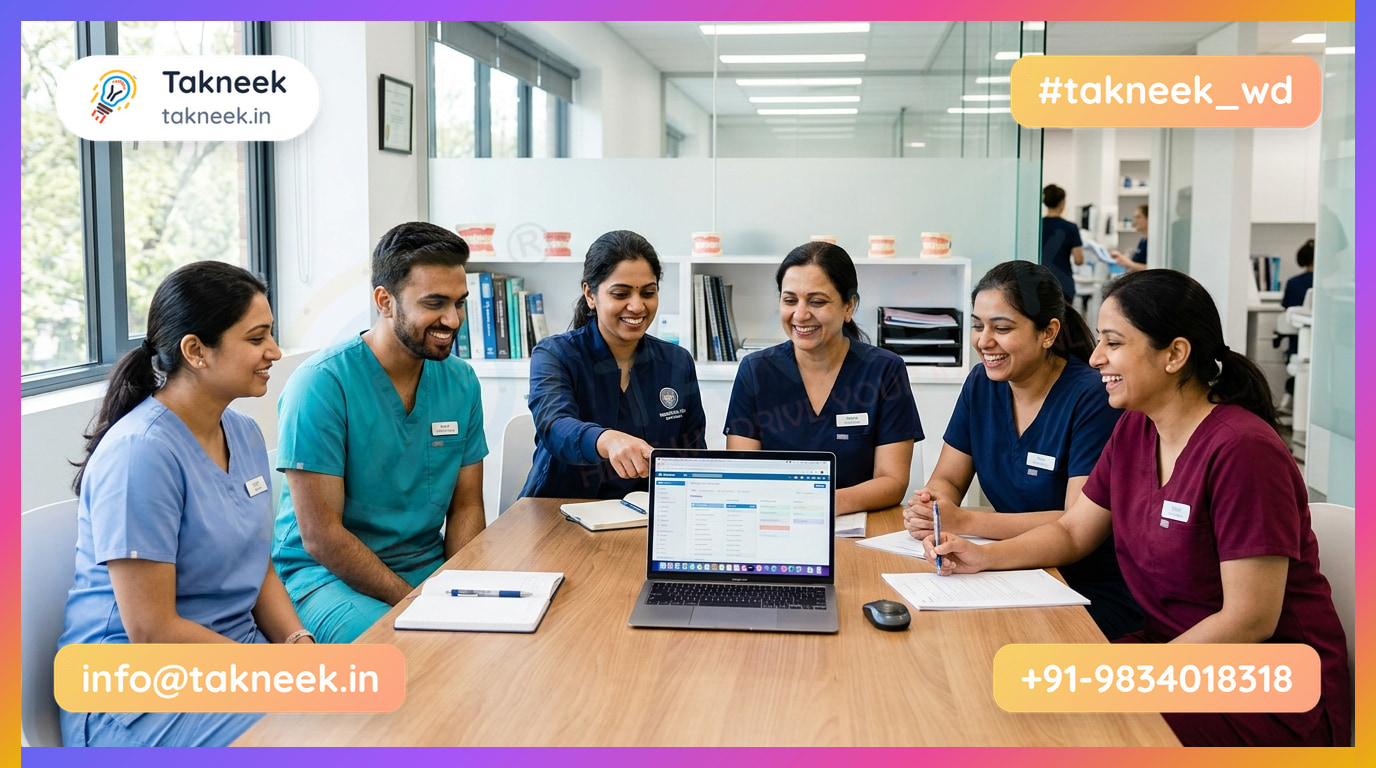
During a free trial, ask your front-desk staff to complete common daily tasks without assistance. Have them schedule a follow-up slot, write a prescription, and generate a bill to see if the interface feels intuitive. If non-technical staff struggle during basic testing, the system will slow down your daily consultations.
Verify how the vendor handles onboarding and daily technical glitches. Prompt support via phone or direct visits matters, especially for clinics in Bhopal that need fast resolution during busy practice hours. Reliable dental clinic management software providers usually assign a direct support contact and offer structured staff training sessions.
Mobile Access and Clinical Customization
Test whether the system runs smoothly on smartphones and tablets. Doctors often need to review upcoming schedules or check patient histories while away from the consultation desk. Mobile-responsive dental clinic management software allows you to manage urgent patient requests from anywhere without relying on a desktop computer.
Ensure the application adapts to your specific specialty workflows, whether you focus on endodontics, orthodontics, or general dentistry. Specialized clinical work requires distinct recording steps. Evaluate customizability by testing how quickly you can modify procedure rates, clinical notes, and prescription templates.
Look for these evaluation criteria before finalizing your choice:
- Configurable procedure rates for individual visiting specialists
- Pre-built prescription templates for common dental treatments
- Flexible charting layouts for detailed treatment planning
Selecting adaptable dental clinic management software ensures your practice expands smoothly as you add new services. Always request a full demonstration of clinical customizability before committing to a final purchase. This step prevents unexpected friction when introducing new procedures to your routine.
How to Get Started with Dental OS for Your Practice
When evaluating dental clinic management software, the first step is to request a live demonstration with our team from Takneek in Bhopal. They walk through your actual practice routines, from booking appointments to handing out prescriptions. This helps identify which specific tools fit your daily workflow before you make any changes to your front desk operations.
Data Setup and Billing Configuration
Next, bring your existing patient records and contact registers into the system. You can upload patient details directly from spreadsheet files or existing contact lists without manual re-typing. Be sure to verify that all mobile numbers include proper formatting so automated WhatsApp messages reach your patients without delivery failures.
Setting up your dental clinic management software requires entering your standard treatment catalogue and pricing tables. For example, if a crown procedure costs ₹8,500, you set that base rate alongside doctor-specific consultation fees and procedure commission rates. You can also configure clinic invoice headers and online payment preferences.
Staff Onboarding and Going Live
Your front desk staff and dental assistants can learn to use the dental clinic management software in a single afternoon. Receptionists handle queue tokens and scheduling, while assistants monitor clinical inventory levels for composites and anaesthetics. A simple onboarding routine helps team members master their daily tasks quickly:
- Receptionists check in arriving patients and manage live queue display tokens.
- Dental assistants record stock usage and track low-inventory alerts.
- Doctors write digital prescriptions using pre-built medication templates.
Switching to specialized dental clinic management software lets you launch automated WhatsApp reminders, recall notices, and 2D or 3D interactive tooth charting right away. In one real-world case, Maitri Dental Clinic went live with a clinic website plus DentalOS in 5 days, and online bookings rose 60% in the first month.
Frequently Asked Questions
What is dental clinic management software?
A dental clinic management software is a digital system built to organize daily clinical, operational, and financial tasks. It replaces paper registers and scattered spreadsheets by managing patient records, interactive tooth charting, and digital prescriptions in one platform. The system also handles billing and live queue tokens for waiting rooms.
In addition, it monitors clinical inventory like composites and tracks dental lab work orders. This keeps front-desk activities clear and organized.
How does automated WhatsApp messaging help dental clinics?
Automated messaging connects your clinic directly to patients through the application they check constantly. Using official integrations like the WhatsApp Cloud API, your system sends booking confirmations, instant appointment reminders, and digital prescriptions without manual staff effort.
It also dispatches recall notices to overdue patients and collects post-treatment feedback. This steady communication reduces missed appointments and helps maintain regular follow-ups.
Can dental clinic management software handle multi-chair practices?
Yes, multi-chair practices and multi-branch networks can run on a single platform. Dedicated software allows practice managers to assign individual consultation fees, set specific procedure rates, and calculate doctor commissions automatically.
Look for systems that provide centralized multi-branch management and individual doctor dashboards. This ensures operational oversight across all locations while allowing associate dentists to manage their patient queues efficiently.
Is cloud-based dental software safe for patient records?
Cloud software stores patient clinical history, treatment plans, and billing records on secure remote servers with automatic data backups. This prevents loss caused by local computer failures, accidental file deletions, or physical register damage.
Role-based permissions ensure that clinical staff, desk receptionists, and accounting team members only access information relevant to their roles. Clinics retain full control over operational privacy standards.
How much time does it take to set up software in a dental clinic?
Basic setup can be completed rapidly. For instance, Maitri Dental Clinic in Indore went live with its clinic website and DentalOS in 5 days.
Adopting comprehensive dental clinic management software depends on whether you migrate paper registers or Excel spreadsheets. Optional data migration services speed up historical records transfer so staff can start daily workflows smoothly.
Final Thoughts on Dental Clinic Management Software
Choosing the right dental clinic management software comes down to simplifying your daily clinic routine. The best systems handle appointment reminders over WhatsApp, digitize treatment plans, and track lab work orders automatically. This reduces manual front-desk calls and gives your staff more time to focus on patient care.
Implementing modern dental clinic management software also brings transparency to your finances and inventory. Clear GST billing, multi-doctor commission tracking, and stock alerts prevent revenue leaks across single or multiple branches. Clinics across Bhopal are already using these digital workflows to build stronger patient trust.
Upgrading your practice does not require complex IT hardware or lengthy setup periods. If you want to see how an all-in-one system can organize your queue and records, book a free DentalOS demo today to test it with your own clinical workflow. Switching to a reliable dental clinic management software is the most practical step toward a well-managed practice.