
Web Development in 2026: An Easy Guide for Business
Discover how modern web development can transform your small business in 2026. Build speed, boost SEO, and attract local clients today with smart planning.

If a customer in Indore searches for your service on their phone and hits a slow, broken page, thoughtful web development is usually the difference between a new booking and a lost sale. Many business owners rely on old sites that fail to load properly on modern smartphones. When pages take too long to open, potential clients simply move on to another option.
You might be handling patient visits or managing client inquiries while wondering why your online channel brings in so few leads. Modern web development focuses on building lean, reliable systems that connect smoothly with tools like WhatsApp or UPI payments. Taking a structured approach prevents wasted effort and ensures your site actually serves your business goals.
This guide offers a practical roadmap to help you plan, build, and deploy an effective site without getting lost in technical jargon. You will learn how to choose software frameworks, organize mobile layouts, streamline search engine setup, and manage rollout schedules. Let's begin by examining why modern web development matters for local businesses in our region.
Table of Contents
- Why Modern Web Development Matters for Local Businesses
- Defining Clear Business Objectives Before Writing Code
- Choosing the Right Tech Stack and Web Development Framework
- Designing User Experience and Responsive Mobile Layouts
- Optimizing Web Architecture for Fast Search Engine Indexing
- Integrating Payment Gateways and Instant Communication Tools
- Understanding Web Development Costs and Timeline Factors
- How to Get Started with Your Business Site Rollout
- Frequently Asked Questions
- Final Thoughts on Web Development Strategy
Why Modern Web Development Matters for Local Businesses
Modern web development creates digital storefronts that build immediate local trust, load rapidly on mobile networks, and convert casual visitors into clients. Instead of serving as a static online business card, your site acts as an active front desk that captures leads, schedules appointments, and answers questions at any hour.
From Static Brochures to Dynamic Lead Engines
When a potential client in Bhopal searches for your services, your homepage creates their initial impression of your firm. Older online brochure sites merely show an address and office hours, requiring visitors to call during busy working hours.
Investing in modern web development turns your site into a dynamic system that captures interest immediately. Suppose a patient views your clinic page late at night; an active portal lets them select an open slot and request an appointment right away. This simple path turns quiet browsing into confirmed bookings before your office even opens the next day.
Tracking Performance Metrics and Avoiding Template Pitfalls
Evaluating your web development choices early helps you focus on metrics that directly impact your revenues. Business owners should look past basic visitor counts and monitor specific indicators:
- Time to Interactive: How fast mobile visitors can tap buttons, open forms, or initiate chat.
- Conversion Rate: The proportion of site visitors who call, send a WhatsApp message, or book a service.
- Local Search Visibility: How predictably your business appears when nearby customers search for your industry.
A frequent mistake among growing businesses is using off-the-shelf site templates built on heavy legacy platforms. These outdated templates carry excess code that slows down page loading on mobile devices, frustrating visitors and pushing them to competitors. Custom web development builds your digital storefront with lean architecture, ensuring fast loading speeds, clean navigation, and a reliable stream of inbound leads.
Defining Clear Business Objectives Before Writing Code
Before writing code, outline what your site must achieve to grow your business. Defining your primary conversion targets and mapping how local visitors find your services ensures your build yields real enquiries rather than passive visits. Clear planning guides every subsequent stage of successful web development.

Mapping Customer Journeys and Conversion Goals
Start by mapping how a potential client or patient finds your services in Bhopal. A parent searching for a pediatric clinic follows a different path than a director seeking legal advice. Partnering with an experienced website design company helps you translate these distinct visitor behaviors into clear, intuitive page layouts.
Next, define what a successful visit looks like for your business. For instance, if a consultation costs ₹1,000, your goal might be securing a prepaid booking form rather than a simple page view. Focus on high-intent actions like direct phone calls, WhatsApp inquiries, or service bookings.
Documenting Your Functional Requirements
Organize your pages around precise client search intents instead of dumping all information onto a single homepage. Separate pages for individual services make information easier to read and improve search visibility. This thoughtful structure forms the foundation of effective web development for growing firms.
Before bringing in a technical team, write down your core functional requirements. Specifying your exact needs early prevents costly misunderstandings during the web development process. Use a simple checklist to organize your operational goals:
- Essential features: Note required tools like UPI payments or appointment booking.
- Core pages: Outline primary pages alongside their specific conversion targets.
- External systems: List any existing client databases that need direct connection.
Documenting these details gives your software partner a clear blueprint to follow. It keeps your project on schedule and ensures your overall web development project matches your exact business vision.
Choosing the Right Tech Stack and Web Development Framework
Selecting the technical foundation for your digital storefront usually comes down to two main approaches in web development: traditional content management systems and modern JavaScript frameworks. Traditional platforms build pages dynamically from a database every time a visitor arrives, which often delays load times. Modern frameworks assemble content beforehand on cloud servers, delivering fast page speeds to every customer.
Speed and Security Advantages
For high-performance web development, Next.js uses server-side rendering to process site pages before sending them to a visitor's browser. This approach removes processing delays on mobile devices and creates a smooth browsing experience. Because backend database connections stay protected behind the server layer, your software also gains strong resistance against common online security threats.
Responsive Layouts and Cloud Infrastructure
Testing performance across varied screen sizes and devices is another essential stage of web development. A modern framework resizes images automatically and recalculates layout grids so content remains readable on low-cost smartphones and large desktop displays. Look for these crucial elements when evaluating your framework setup:
- Server-side rendering: Pre-builds web pages to eliminate waiting times on mobile devices.
- Media optimization: Adjusts image resolutions automatically to save mobile data usage.
- Distributed cloud hosting: Serves site files from global networks to maintain uptime during traffic spikes.
Standard web development practices rely on cloud infrastructure to host application files across redundant network nodes rather than relying on a single physical machine. If your business experiences a sudden surge in customer visits, the cloud setup scales resources automatically to manage the heavy traffic. This hosting strategy prevents server crashes, keeping your storefront accessible to clients across Bhopal without unexpected downtime.
Designing User Experience and Responsive Mobile Layouts
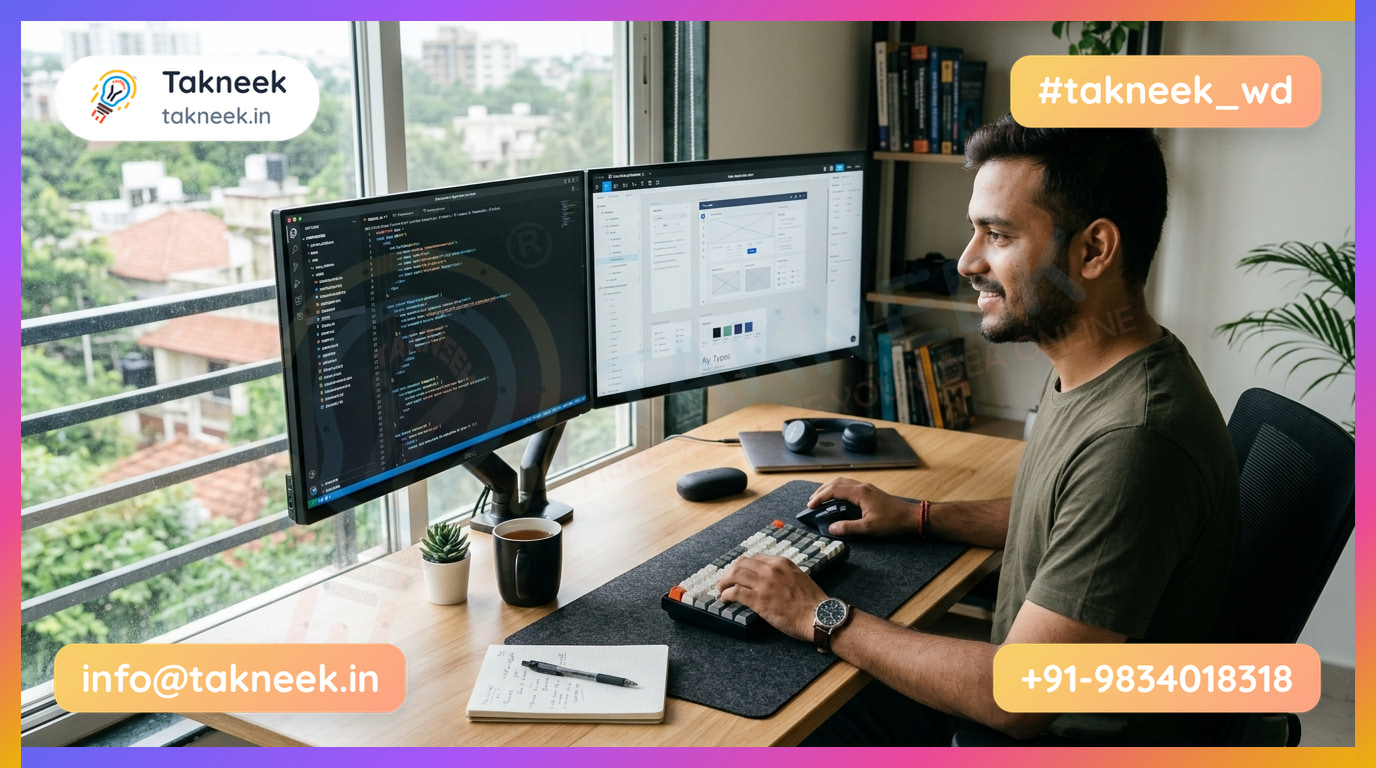
Designing intuitive user experiences and responsive mobile layouts turns casual site visitors into paying clients. Practical web development ensures your business phone number, main services, and booking options are visible without scrolling endlessly. By focusing on thumb-friendly layouts, clear buttons, and fast page speeds, you prevent visitors from leaving for a local competitor.
Building Clear Paths for Mobile Visitors
Visitors browsing on mobile phones expect quick answers and simple navigation. Crafting concise service menus helps users discover your core offerings within seconds rather than getting lost in complex sub-pages. For instance, suppose a patient in Indore needs an urgent clinic visit; placing a direct "Call Now" button right at the top saves them valuable time.
Every screen layout must guide the visitor toward taking a concrete next step. High-contrast action buttons make your primary business objective obvious and easy to tap on smaller screens.
Follow these basic steps when setting up your mobile interface:
- Select bold button colors that contrast clearly against your background layout.
- Write action-focused labels like "Book Appointment" rather than generic text.
- Keep inquiry forms brief, asking only for essential details like name and phone number.
Improving Interactivity and Mobile Performance
Interactive elements on your site should respond immediately whenever a user taps them. Modern web development practices ensure that form submissions display immediate visual feedback, such as a subtle loading icon or a confirmation message. This clear response stops users from repeatedly tapping buttons and reassures them that their message was sent successfully.
Layouts must also remain accessible and readable on slower mobile data networks. Solid web development keeps screen layouts stable while media assets load in the background. Optimizing images and using clean page structures allows content to render without frustrating delays on basic mobile plans. Taking this balanced approach to web development delivers a fast, reliable digital storefront for every customer.
Optimizing Web Architecture for Fast Search Engine Indexing
Optimizing web architecture ensures search engines index your business pages quickly without getting lost in broken links. By setting up clean URL paths, adding structured code, and improving load speeds, your digital storefront appears accurately in search results. Modern web development embeds these structural foundations during the initial build phase rather than patching them later.
Clear Hierarchies and Structured Data
Organize your website pages logically so both human visitors and search crawlers instantly grasp your services. For instance, a clear URL hierarchy like /services/teeth-cleaning works far better than vague web addresses filled with random parameter numbers.
Adding JSON-LD structured data helps search engines read your exact business name, address, and opening hours. Following guidelines published on Google Search Central ensures your web development includes schema code that qualifies your business for rich snippets in local search results.
Speed Optimization and Smooth Redesigns
Core Web Vitals measure how fast your site loads, responds to user actions, and stabilizes visually. Utilizing web development frameworks with Next.js and server-side rendering delivers high performance scores by pre-rendering content before it reaches the browser.
Link your Google Business Profile directly to your primary local landing page in Indore to build consistent geographic authority. When redesigning an existing site, audit legacy pages and map old URLs to new destinations using 301 redirects to preserve ranking history.
| Task | Implementation | Search Engine Benefit |
|---|---|---|
| 301 Redirects | Map old paths to new URLs | Preserves index ranking and prevents broken links |
| Image Compression | Convert uploads to WebP | Improves Core Web Vitals performance scores |
| Canonical Tags | Specify primary page source | Prevents duplicate content index issues |
Structured web development prevents duplicate content issues during site updates by auditing existing assets before rebuilding. Every production build includes on-page technical SEO, fast load times, automatic sitemap submission to Google Search Console, and schema markup out of the box. If you are evaluating project costs, checking our pricing helps clarify standard scope items.
Integrating Payment Gateways and Instant Communication Tools
Integrating payment gateways and messaging tools into your online storefront turns passive site traffic into direct bookings and sales. When modern web development connects payment flows and instant chat directly to your back office, visitors can pay fees or ask questions without waiting for office hours.

To collect advance consultation charges, connect a gateway like Razorpay into your booking flow. During modern web development, payment links or UPI options embed directly into the checkout screen when a client selects a time slot.
Suppose a patient books a consultation and needs to pay a deposit of ₹500 to lock in the time. The platform generates a UPI request, receives the payment confirmation, and updates your appointment calendar automatically.
For quick inquiries, place one-click WhatsApp chat triggers on key service pages. Clicking the button opens a pre-filled message on the customer's phone, letting your front desk respond instantly.
Securing Patient Data and Automating Notifications
Protecting client information across intake forms requires SSL encryption and safe server handling. When planning custom web development, look for secure API endpoints that handle sensitive customer details safely without leaking data.
Automating email notifications ensures your team never misses a prospective customer. The moment a visitor submits an intake form, your system dispatches an alert to your office inbox so staff can follow up immediately.
Transactional Workflow Steps
| Step | Tool / Integration | Result for Your Business |
|---|---|---|
| 1. Collect payments | Razorpay UPI link | Confirmed bookings and fewer missed appointments |
| 2. Capture instant inquiries | One-click WhatsApp trigger | Direct conversation starts on your team's phone |
| 3. Dispatch lead alerts | Automated email trigger | Staff can respond while the customer is still active |
Watch out for payment setups that redirect clients to unbranded third-party pages without sending them back to your site. Professional web development maintains a clean handoff from checkout to the final confirmation page.
Understanding Web Development Costs and Timeline Factors
Building a business site requires balancing initial build costs with long-term upkeep. A predictable web development strategy combines a modest setup fee with manageable monthly costs covering hosting, daily backups, and security updates. Knowing these components helps you avoid unexpected expenses after launch.
Upfront Setup Versus Recurring Costs
When planning your budget, separate initial construction fees from custom feature additions. A standard business website starts at ₹499/month with a ₹2,100 one-time setup, including hosting, SSL, daily backups, and a Google-ready setup. If you require advanced e-commerce functionality or bespoke booking systems, upfront costs increase to cover tailored coding.
Modern web development projects rely on three recurring assets to stay functional:
- Domain Registration: Annual ownership renewals for your web address.
- Cloud Server Hosting: Keeping pages fast and reliable around the clock.
- Routine Maintenance: Applying ongoing code updates and security patches.
Combining hosting and technical maintenance into a single monthly plan prevents sudden repair bills when web standards evolve. This predictable model ensures your system stays active without straining your operational budget.
Balancing Project Quotes and Timelines
Look for pricing models that clearly distinguish initial builds from ongoing technical support. Suppose a software partner provides custom web development services under a large lump-sum quote without maintenance; you might face extra bills whenever security patches arrive. Evaluating full operational costs over time protects your firm's cash flow.
Deployment timelines vary based on software complexity and content readiness. A standard business website takes 1 to 2 weeks, while clinic and professional sites in Indore are typically live in 5 business days. E-commerce sites with custom features take 3 to 5 weeks.
Selecting structured web development processes ensures your project stays on schedule without compromising software quality. Preparing text and images early helps technical teams meet launch targets efficiently.
How to Get Started with Your Business Site Rollout
A successful launch requires gathering your core assets, testing the build on a private server, training your team, and scheduling periodic maintenance. Following a structured roadmap ensures your web development project transitions smoothly from initial planning to a reliable lead generator.
Asset Preparation Checklist
Before technical work begins, collect your core branding assets and written copy into a central folder to avoid mid-project delays. Having verified content ready allows developers to build accurate layouts right from the start.
- Brand Identity: High-resolution vector logo files, brand color codes, and official typography.
- Core Copy: Detailed service write-ups, staff biographies, contact info, and clear answers to common customer questions.
- Media Assets: Authentic photographs of your workspace or facility, staff portraits, and customer reviews.
Suppose a consultancy firm is building a new client portal. Organizing consultant profiles, service offerings, and booking policies before building the layout keeps the project moving smoothly on schedule.
Staged Testing and Long-Term Care
Run your website on a private staging URL before pointing your main domain to it. Test lead forms, Razorpay payment flows, and WhatsApp chat links across mobile devices to verify functionality. Watch out for slow image loads or broken links during stage testing, as fixing them early protects your user experience. Professional web development relies on thorough pre-launch testing to ensure bug-free operations.
Next, train your front-desk staff to handle incoming digital leads efficiently. Assign clear roles for who monitors inquiry emails or WhatsApp alerts, how to record incoming leads, and how quickly to respond. For instance, when Maitri Dental Clinic in Indore launched their clinic website with DentalOS, training their team ensured smooth coordination as online bookings rose 60% in month one.
Modern web development requires ongoing updates and routine technical health audits to remain secure and fast over time. Set a calendar reminder every month to review form submissions, update outdated service details, and check load speed. Working with an experienced web development partner ensures your site stays performant, secure, and ready to grow your business for years to come.
Frequently Asked Questions
How much does custom web development cost for a small business in 2026?
A standard business site starts at ₹499 per month with a ₹2,100 one-time setup fee. This includes secure hosting, an SSL certificate, daily automated backups, and a Google-ready setup. E-commerce platforms or specialized features require additional scoping based on your operational needs.
How long does it take to launch a complete business website?
A standard business website typically takes 1 to 2 weeks to complete. Clinic and professional firm sites are usually live in 5 business days. For example, Maitri Dental Clinic in Indore deployed their site with DentalOS in 5 days, increasing online bookings by 60% in month one. E-commerce sites with custom features take 3 to 5 weeks.
Why is Next.js preferred over standard WordPress templates?
Next.js utilizes server-side rendering to deliver pre-built pages instantly to your visitors. This approach provides fast loading times, strong security, and stable mobile responsiveness. It offers a reliable technical foundation that grows with your firm without relying on third-party plugins that break during updates.
Can modern web development help my website rank better on Google?
Yes, modern web development includes on-page search engine optimization as a core standard. Every site is built with meta tags, schema markup, fast load times, and an automatically generated sitemap submitted to Google Search Console. Server-side rendering further helps search crawlers index your pages accurately.
What assets do I need to prepare before starting a web development project?
You need your company logo, service details, contact information, and high-quality photos of your team or premises. Having your brand guidelines, domain login details, and pricing structure ready accelerates the initial build. If you are upgrading an existing site, an audit helps identify which content to keep before rebuilding the rest.
Final Thoughts on Web Development Strategy
Building a strong online presence in 2026 comes down to three practical choices. First, focus on speed and clarity rather than heavy visual effects so local customers find what they need quickly. Modern web development relies on solid foundations like server-side rendering and fast loading to ensure search engines index every page properly.
Second, integrate essential tools directly into your layout, including WhatsApp chat, Razorpay for payments, and automated sitemap submissions to Google. Finally, set clear timelines and choose a technical setup that grows alongside your operations. When done correctly, modern web development turns a passive brochure into an active storefront that handles bookings and sales around the clock.
If you are planning a launch or redesigning an older site, taking a structured approach ensures you get results without technical delays. Professional web development gives your business a fast, reliable platform designed for real growth. You can reach out to our team at Takneek in Bhopal to discuss your goals and receive a free website estimate for your upcoming project.