
Small Business Automation in 2026: An Easy Practical Guide
Discover how small business automation simplifies daily operations, reduces costly errors, and saves hours. Learn practical steps and optimize your work today.

Investing in small business automation usually starts when you realise you are spending more time answering routine WhatsApp inquiries than growing your core operations. Picture a typical Tuesday evening at your business in Indore, where customers wait at your billing counter while your phone rings with questions about stock or pending invoices. You know your time should be spent serving clients, not untangling manual paperwork.
This guide offers a clear, practical roadmap to streamline your daily tasks without purchasing complicated software. You will learn how practical small business automation helps manage customer leads, automate follow-ups, keep GST invoicing accurate, and track inventory without manual registers. Every strategy here focuses on real Indian business conditions using familiar systems like UPI and WhatsApp.
Whether you manage a clinic, a professional practice, or a retail counter, setting up clear digital workflows lets you focus on growth. Before choosing any tool, it is worth seeing why modern Indian enterprises are adopting small business automation.
Table of Contents
- Why modern Indian enterprises are adopting small business automation
- Automating lead management and WhatsApp customer follow-ups
- Streamlining GST billing and digital invoice generation
- Managing inventory tracking and reorder alerts automatically
- Key features to evaluate when selecting small business automation tools
- Estimating implementation costs and expected software ROI
- Common mistakes during workflow automation and how to avoid them
- A step-by-step roadmap to start your automation journey
- Frequently Asked Questions
- Final thoughts on small business automation
Why modern Indian enterprises are adopting small business automation
When managers and staff spend hours retyping buyer details across paper registers, core business tasks suffer. Shifting to small business automation hands these repetitive entry duties directly to software. This frees your front-line team to spend their time building client relationships and making sales calls.
Precision and speed in daily operations
Manual entry during order booking and customer record updates frequently introduces ledger mistakes or miscalculated bills. Systems configured for small business automation compute totals instantly without human calculation errors. Every customer record stays accurate across your billing software and sales registers.
When a prospect submits an inquiry online or over WhatsApp, a delayed response often pushes them to a competitor. Automated systems catch inbound requests immediately and trigger an instant response. This reduces your initial customer contact time from hours down to seconds.
Workflow example and common pitfalls
Consider a trading firm in Bhopal managing daily stock updates. The owner created automated stock alerts to eliminate manual stock taking:
- Inventory levels drop below a set reorder point after an order is logged.
- The software sends an immediate purchase alert directly to the manager.
- The storekeeper approves the draft order with one click.
This simple setup saved 15 staff hours weekly that were previously wasted on manual count checks. Before setting up a practical small business automation workflow, audit your current inventory triggers carefully. Setting reorder thresholds too tight can cause temporary stock shortages if supplier deliveries get delayed. Adopting small business automation turns chaotic routines into predictable daily operations.
Automating lead management and WhatsApp customer follow-ups
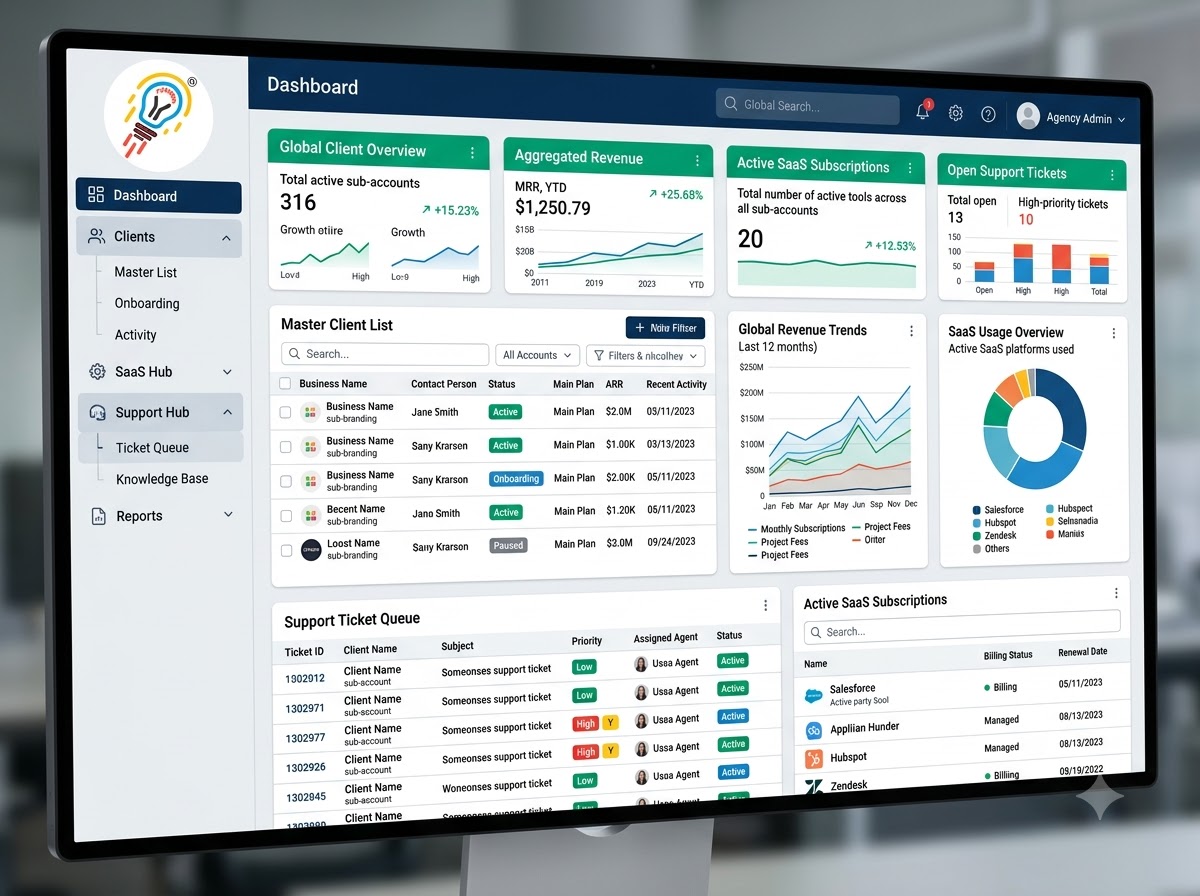
When an inquiry arrives from a social ad, a website form, or an inbound phone call, entering details manually into a paper ledger creates delays. Practical small business automation captures these contact details instantly into a central dashboard without manual typing. Using CRM software for small business ensures your sales team sees every prospect immediately, alongside their specific inquiry source.
Instant Response via WhatsApp
Once a lead registers in your database, your system sends an instant greeting through the WhatsApp Business Platform. Interactive quick-reply prompts ask prospects to clarify their requirements, such as selecting a product category or requesting a call back. This immediate response keeps buyers engaged while their buying intent remains high.
Suppose a prospect inquires about a commercial property listing in Indore. Your software delivers property brochures, captures budget preferences through response buttons, and assigns the lead directly to an available agent's queue. Using small business automation for initial qualification saves your team from tedious phone tag during busy workdays.
Drip Follow-ups and Pipeline Tracking
To keep leads from dropping through the cracks, set up a structured follow-up schedule across a multi-day timeline. An initial message delivers your main brochure, followed two days later by a brief client case study. A final reminder checks whether the prospect needs personal assistance before your team updates their record.
Here is how a standard automated sequence handles each inquiry:
- Capture: Collect incoming details directly from digital ads, phone calls, and web forms.
- Qualify: Send interactive WhatsApp prompts to gather client requirements automatically.
- Track: Move deals through visual sales pipeline stages to monitor staff performance.
Centrally tracking sales pipeline stages—such as "New Inquiry," "Site Visit Scheduled," "Proposal Sent," or "Closed"—allows business owners to evaluate team conversion rates clearly. Adopting this style of small business automation provides total visibility over ongoing sales deals across your business.
Watch out for message frequency when configuring your communication workflows. Sending daily automated follow-ups often leads to blocked numbers and lost prospects. Tailoring your small business automation carefully maintains positive client relationships while steadily moving prospective buyers toward a closed sale.
Streamlining GST billing and digital invoice generation
When a customer confirms an order or finishes a service session, your software can produce a digital invoice instantly. Connecting sales channels directly to invoicing modules eliminates duplicate data entry and speeds up document delivery. Implementing small business automation at this operational stage ensures every transaction registers immediately with accurate buyer information.
Tax mapping and discount logic
Tax calculation logic relies on master lists pre-configured with HSN codes and product categories. Modern small business automation options handle multi-tier pricing effortlessly. The system deducts the discount before applying the tax percentage, preventing calculation mistakes. Because tax structures differ across sectors, consult your CA to confirm accurate rate assignments.
Adding UPI or credit card payment links inside digital invoices lets customers in cities like Indore settle balances immediately upon receipt. For monthly retainers or ongoing service agreements, recurring billing modules send scheduled invoices automatically. Adopting small business automation for retainer billing keeps cash flow steady without requiring manual monthly reminders.
Workflow setup and key precautions
To maintain clean accounting records, follow this operational checklist: 1. Map item masters to accurate HSN codes before launching automated billing. 2. Set default discount rules to apply before tax calculations occur. 3. Connect payment gateway webhooks so invoice statuses update automatically. 4. Reconcile monthly sales data before uploading reports to the GST portal.
A common risk during setup is improper ledger tagging, which creates discrepancies between sales registers and accounting entries. Well-planned small business automation prevents these errors by validating data before finalizing each document. Investing time in accurate initial configuration helps maintain precise financial records as your business grows.
Managing inventory tracking and reorder alerts automatically
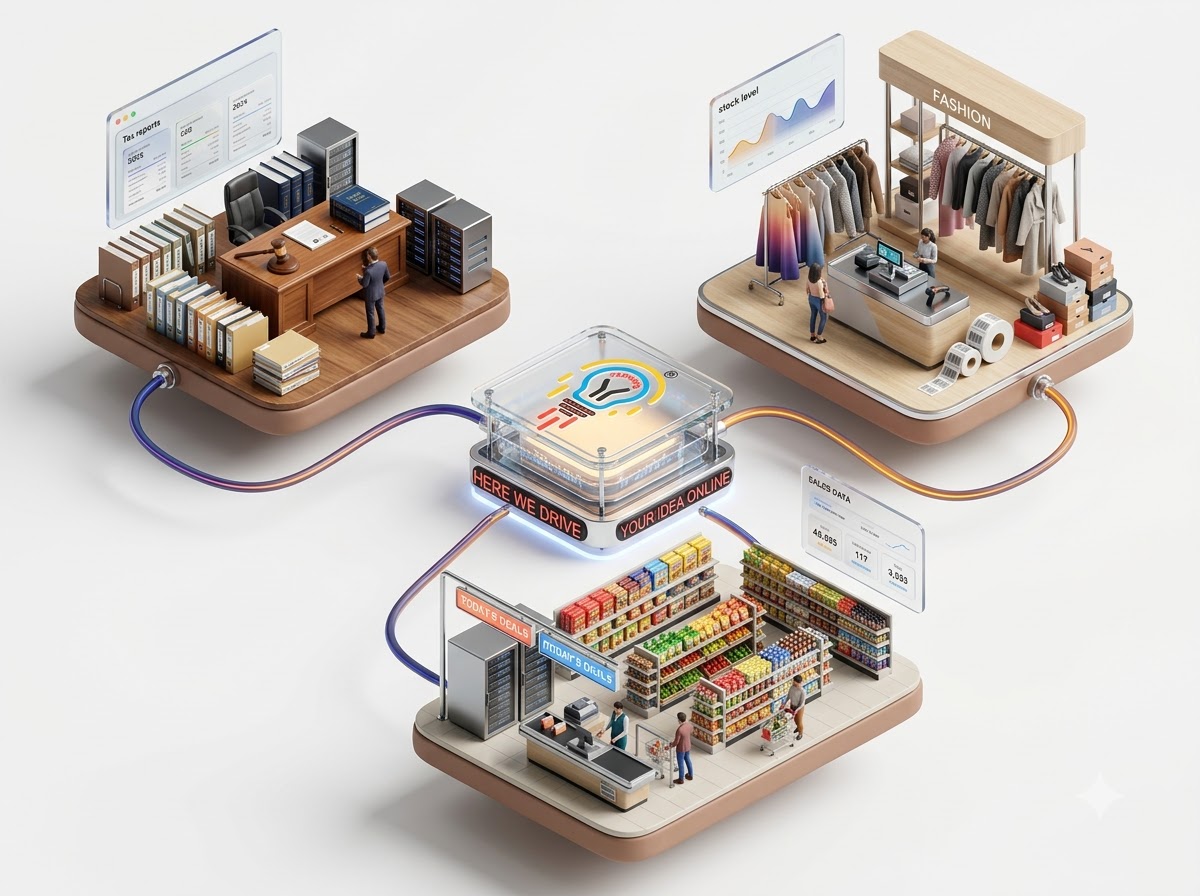
Connecting your point-of-sale system to your central stock ledger is a foundational step in small business automation. When a billing clerk scans a QR barcode at the counter for a buyer in Indore, your software updates available stock instantly across all channels. This keeps you from selling an item online when a walk-in customer just bought the last unit.
Setting Up Smart Reorder Levels
Preventing empty shelves requires knowing when to reorder before you run completely out. Practical setups for small business automation allow you to set specific reorder thresholds for every individual product code.
Suppose you run a hardware shop and sell 10 boxes of hinges weekly, with supplier delivery taking four days. You set your reorder alert at 6 boxes. Once stock hits that mark, your inventory tool automatically drafts a purchase order so you never lose sales to stockouts.
Tracking Batches and Expiry Dates
For chemist shops and retail counters, applying small business automation to batch tracking prevents expired items from reaching customers. Your system logs incoming shipments by batch number and expiration date during stock entry.
- Log incoming batch numbers and expiry dates using a barcode scanner during receiving.
- Configure system alerts for items reaching 30 or 60 days before expiration.
- Track active supplier purchase orders from placement to counter delivery.
Watch out for improper receiving habits. If staff enter quantities manually without scanning batch tags, older stock stays hidden at the back of shelves while newer inventory gets sold first.
Unsold inventory is cash sitting on shelves that could fund fast-moving items. By reviewing stock turnover reports through small business automation, you easily identify products that have sat untouched for months. You can then discount dead stock to free up working capital for high-demand goods.
Key features to evaluate when selecting small business automation tools
Selecting software for small business automation requires evaluating your team’s daily habits. A complex interface slows everyone down, so test whether a staff member in Bhopal can create an invoice after five minutes of training. Mobile access is crucial because employees need to log updates from their phones while away from their desks.
Core integrations and usability
Check how directly the software connects with tools your office relies on daily. Native connections for WhatsApp, accounting systems, and payment gateways allow data to flow without manual re-entry. For instance, tools like CRMOS capture leads from a website, WhatsApp, and ads while organizing them into stage-based sales pipeline views. This connectivity is vital for practical small business automation across your sales and support workflows.
To evaluate potential software effectively, follow these three practical steps during a demo:
- Ask the vendor to demonstrate a complete entry on a standard smartphone screen.
- Check if payment reminders can automatically include UPI payment links within WhatsApp messages.
- Confirm that account permissions let you restrict sensitive financial data based on employee roles.
Cloud security and platform scalability
Data protection should never be an afterthought when choosing software. Look for systems that offer encrypted cloud storage, automated daily backups, and customizable user access controls. Proper access limits keep customer lists secure when staff members transition out of your business. A secure system for small business automation gives you peace of mind without requiring an internal IT team.
Finally, pick a platform that expands alongside your operations over time. You might start with simple lead capturing today, but later need inventory alerts, client ledgers, or billing modules. Thoughtful small business automation allows you to turn on advanced functions as your client volume and operational needs grow.
Estimating implementation costs and expected software ROI

Cloud Pricing and Setup Expenses
Evaluating cloud subscription pricing requires looking beyond the base monthly fee. Software plans cover core features, but hidden charges for custom workflow design or specialized templates can raise your initial bill. For instance, CRMOS charges a ₹2,100 setup fee alongside its ₹499 monthly Starter plan or ₹999 Growth plan. Always request a full fee schedule before adopting small business automation.
To estimate your return, measure the time staff spend on manual tasks like generating GST bills or sending follow-ups. Suppose a billing clerk earns ₹15,000 monthly, and software streamlines their routine data entry. You can convert those saved working hours into monthly labor cost reductions by reallocating staff to higher-value duties in your Indore store.
Payback Period and Efficiency Gains
Comparing initial setup investments against long-term efficiency gains shows how quickly software pays for itself. Practical small business automation strategies focus on high-volume, repetitive tasks first to yield quick operational improvements.
Follow these steps to estimate your software payback timeline:
- Add your annual subscription fees and upfront setup charges together.
- Estimate monthly labor savings by converting reduced task hours into staff wages.
- Subtract monthly software costs from labor savings to calculate your net monthly gain.
- Divide initial setup expenses by your net monthly gain to find the payback month.
Business owners should target a payback period of under six months for baseline workflows. When small business automation software handles daily lead updates and invoice delivery, operational gains stack up fast. If your payback timeline exceeds six months, simplify your initial small business automation scope before adding advanced features.
Common mistakes during workflow automation and how to avoid them
Rushing into small business automation without fixing a messy manual routine usually creates faster chaos. If your staff currently forgets to note down customer requirements, software alerts will not fix the habit. Map your step-by-step workflow on paper first, remove redundant approvals, and clarify responsibilities before configuring any digital triggers.
Another frequent mistake is building overly complicated triggers that annoy your leads with excessive messages. Suppose a buyer in Indore sends a WhatsApp inquiry about a product catalog. Triggering an instant greeting, a product PDF, an automated discount code, and a survey within five minutes overwhelms the customer. Focus on simple workflows that deliver one direct answer and one clear next step.
Avoiding Implementation Pitfalls
Even well-designed small business automation struggles when front-desk employees are not properly trained during the initial rollout. Staff members often ignore software notifications or create duplicate records if they do not understand the system. Hold practical practice sessions so your team knows exactly when the system handles a task and when human intervention is needed.
| Automation Mistake | Practical Solution |
|---|---|
| Automating broken habits | Standardize manual procedures on paper first |
| Overwhelming customer chats | Limit message triggers to one direct reply |
| Skipping team onboarding | Conduct hands-on practice sessions |
| Ignoring workflow data | Review monthly drop-off points and adjust |
Finally, treat small business automation as an ongoing process rather than a set-it-and-forget-it setup. Without periodic checks on response logs and conversion rates, broken links or unhelpful message templates go unnoticed. Schedule a monthly review of your workflow metrics to spot where potential clients drop off and refine your automated messages accordingly. A well-monitored small business automation strategy evolves as your customer needs change.
A step-by-step roadmap to start your automation journey
Start by tracking your team’s daily operational tasks for one full week. Look for routine actions that repeat constantly, such as typing customer details into registers or re-entering stock updates. This review will quickly highlight your top two time-draining bottlenecks that need immediate attention.
Before buying software, choose just one core process for a limited pilot phase. Focus on an isolated task like lead capture or sending digital invoices to buyers. Introducing small business automation in small phases prevents operational disruption and gives staff time to adapt comfortably.
Pilot Testing and Benchmarks
Establish clear benchmark metrics right before turning on your new tools. For instance, record the daily count of manual data entry mistakes and the average delay in answering customer inquiries. Using small business automation to compare these baseline numbers against early results proves if accuracy improves.
Expanding Across Departments
Once your initial pilot runs smoothly, expand your workflow software across sales, inventory, and customer service departments. Watch out for broken manual workflows, which must be fixed on paper before configuring digital software tools. Follow this sequence for a gradual rollout:
- Connect lead pipelines so incoming customer inquiries reach sales dashboards instantly.
- Sync inventory registers to generate automated reorder alerts for low stock.
- Implement small business automation across customer service for routine post-sale follow-ups.
A property agency in Bhopal successfully replaced four spreadsheets by moving their team to CRMOS after defining clear lead assignment rules. Planning your small business automation journey step by step ensures high staff adoption and cleaner records. Always train your team thoroughly on reviewing automated system alerts before full deployment.
Frequently Asked Questions
What is small business automation and why does it matter?
Small business automation means using modern software to handle routine daily workflows without continuous manual effort. Instead of writing lead details into physical diaries or typing repetitive follow-up emails, digital tools execute these tasks automatically.
This operational shift matters because it frees up valuable staff time for customer service and revenue-generating sales activities. It also minimizes human errors in daily record-keeping and ensures critical follow-ups are never forgotten.
Which daily tasks should a small business automate first?
Businesses get the best results by automating high-volume, repetitive tasks first. Consolidating incoming lead enquiries from websites, social media advertisements, and messaging channels into a centralized sales dashboard is an excellent starting point.
Generating GST-compliant invoices, sending automated payment reminders, and dispatching delivery updates on WhatsApp are also high-impact initial steps. These administrative routines consume significant front-desk hours but require zero creative decision-making.
How much does small business automation software cost in India?
Software costs depend on your feature requirements. Entry-level small business automation tools are structured to be budget-friendly for growing Indian firms across cities like Indore.
For instance, Takneek's CRMOS platform offers a Starter plan at ₹499 per month with a ₹2,100 initial setup fee, covering a branded website and enquiry capture. The Growth plan costs ₹999 per month for full lead tracking and compliance management, with annual billing offering two months free.
Can small business automation integrate with WhatsApp for customer updates?
Yes, modern small business automation solutions integrate directly with the official Meta WhatsApp Cloud API. This allows your system to trigger timely customer messages based on real-time business actions.
Your setup can automatically deliver proposal documents, payment receipts, appointment details, and broadcast promotional campaigns directly to clients. This maintains fast, professional communication while relieving your staff from manually typing individual messages throughout the day.
Is specialized technical staff required to manage business automation tools?
No, you do not need dedicated IT specialists or software programmers to run modern operational platforms. Tools developed for regional service providers, retail outlets, and professional practices feature simple visual dashboards that require minimal initial instruction.
If your team members know how to use a smartphone, they can easily learn these systems. Staff can confidently adopt small business automation tools as part of their standard work routine.
Final thoughts on small business automation
Successful small business automation starts with fixing your single most frustrating task first rather than trying to overhaul your entire office overnight. Whether you manage a retail counter in Indore or run a professional practice, setting up standardized WhatsApp templates and digital registers stops leads and payments from slipping through the cracks.
Systematizing your routine work gives you complete visibility over your sales and daily dues without forcing you to spend hours checking registers. Practical small business automation keeps your follow-ups, GST billing, and inventory tracking connected in one place so your team stays aligned.
Review your daily operations this week and identify the one bottleneck that causes the most delays for your staff. Once you have picked that priority, request a brief CRMOS walkthrough to explore how practical small business automation fits your specific workflow and customer channels.