
Gynecology Clinic Management Software: Best 2026 Guide
Select the best gynecology clinic management software in 2026 to simplify ANC tracking and billing. Find top features and upgrade your clinic today.

Selecting a reliable gynecology clinic management software can turn a hectic evening consultation hour into an organized, stress-free routine for your practice. Picture your desk at 7 PM: a stack of physical antenatal registers, scattered paper ultrasound reports, and patients at the reception desk asking about their next scan date. When administrative record-keeping steals time from clinical care, your staff stays late and follow-ups get missed.
Specialized maternal care demands tools built specifically for obstetricians and gynecologists, rather than generic billing systems made for general physicians. Using dedicated gynecology clinic management software helps you compute expected delivery dates automatically, organize trimester records, and send automated WhatsApp reminders for upcoming visits. This ensures your patients receive timely advice while keeping your daily clinic operations smooth.
This practical guide will help you evaluate essential clinical features, assess digital medical records, and plan a smooth transition from paper files. Whether you run a single-doctor setup in Bhopal or direct a multi-branch maternity clinic, selecting the right gynecology clinic management software transforms how you manage daily patient workflows. Let us begin by examining why modern practices need dedicated systems to handle complex clinical routines.
Table of Contents
- Why Modern Practices Need Gynecology Clinic Management Software
- Essential Clinical Features for Obstetric and Gynecological Care
- Managing Antenatal Care Schedules and Patient Communication
- Secure Electronic Medical Records and Digital Health Records
- Pricing Models and Cost Considerations for Gynecology Clinic Management Software
- Evaluating Usability and Staff Onboarding Efficiency
- Step-by-Step Plan to Implement New Practice Management Systems
- How to Transition from Paper Files to Digital Workflows
- Frequently Asked Questions
- Final Thoughts on Gynecology Clinic Management Software
Why Modern Practices Need Gynecology Clinic Management Software
During peak OPD hours, front-desk staff in busy clinics often get overwhelmed by manual registration. Managing walk-in patients alongside pre-booked appointments creates long waiting lines and delays consultations. Adopting gynecology clinic management software organizes daily queues and keeps patient check-ins moving smoothly.
Streamlining Records and Workflows
Paper charts frequently lead to fragmented pregnancy records when physical files pass between reception desks, labs, and doctor cabins. A loose ultrasound sheet or misfiled blood test report forces clinicians to halt consultations while staff search for missing documents. Watch out for these typical points where paper systems fail:
- Loose lab reports detached from physical folders
- Unreadable handwritten history notes across trimesters
- Lost follow-up dates on paper appointment slips
Consolidating clinical histories into a single digital record ensures every diagnostic report sits directly inside the patient file. This prevents missing information during critical care milestones.
Enhancing Patient Care and Compliance
Expectant mothers frequently miss routine antenatal check-ups due to busy schedules or forgotten dates. Using gynecology clinic management software allows practices to send automated messaging alerts directly to patients before scheduled visits.
When patients receive timely visit notifications, attendance improves and vital health checks stay on schedule. For example, a 5-branch gynecology and maternity clinic network in Indore replaced paper registers for 500+ pregnant patients using Takneek's system, where WhatsApp reminders cut no-shows by 40%.
By taking over repetitive administrative tasks, gynecology clinic management software allows doctors to focus fully on clinical care. Clinicians spend less time searching for physical files or filling paper registers, leaving more focused time to address patient concerns during consultations. Deploying a modern gynecology clinic management software gives your team the practical tools needed to run an organized practice.
Essential Clinical Features for Obstetric and Gynecological Care
Generic health records force doctors to type obstetric histories into unstructured text boxes. Specialized gynecology clinic management software provides customizable clinical templates tailored specifically for antenatal care and clinical notes. During a routine OPD consultation, you can quickly log gravida, parity, and obstetric risk factors without retyping repetitive clinical notes.
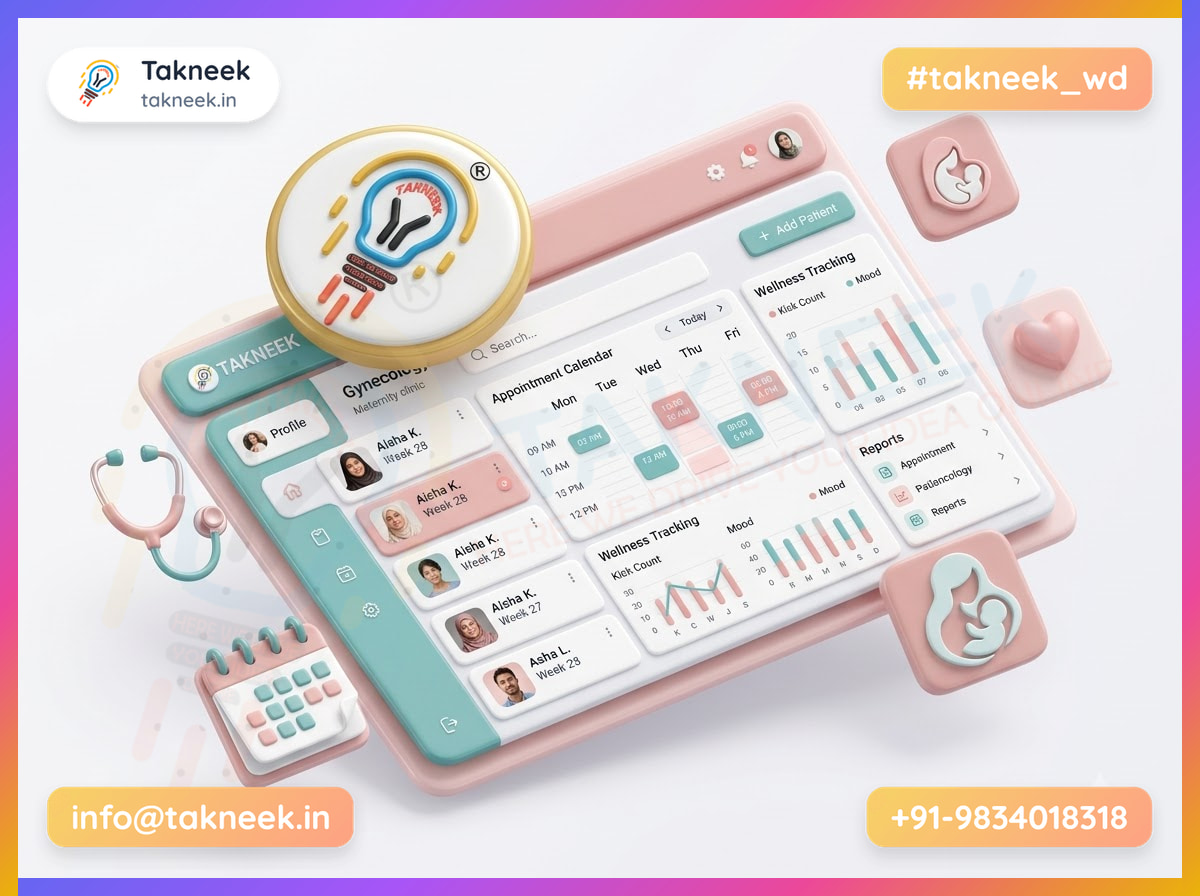
Built-in clinical calculators eliminate manual math during busy clinic hours. When you enter a patient's Last Menstrual Period (LMP) date, the system automatically computes the gestational age and estimated date of delivery (EDD) directly inside the patient record. This ensures accurate trimester tracking from the initial registration visit onward.
For doctors managing complex obstetrics, reliable gynecology clinic software helps maintain a complete medical history over time. A single chronological timeline displays past surgical history and medical background alongside attached ultrasound reports and diagnostic test results.
Ultrasound and Drug Safety Workflows
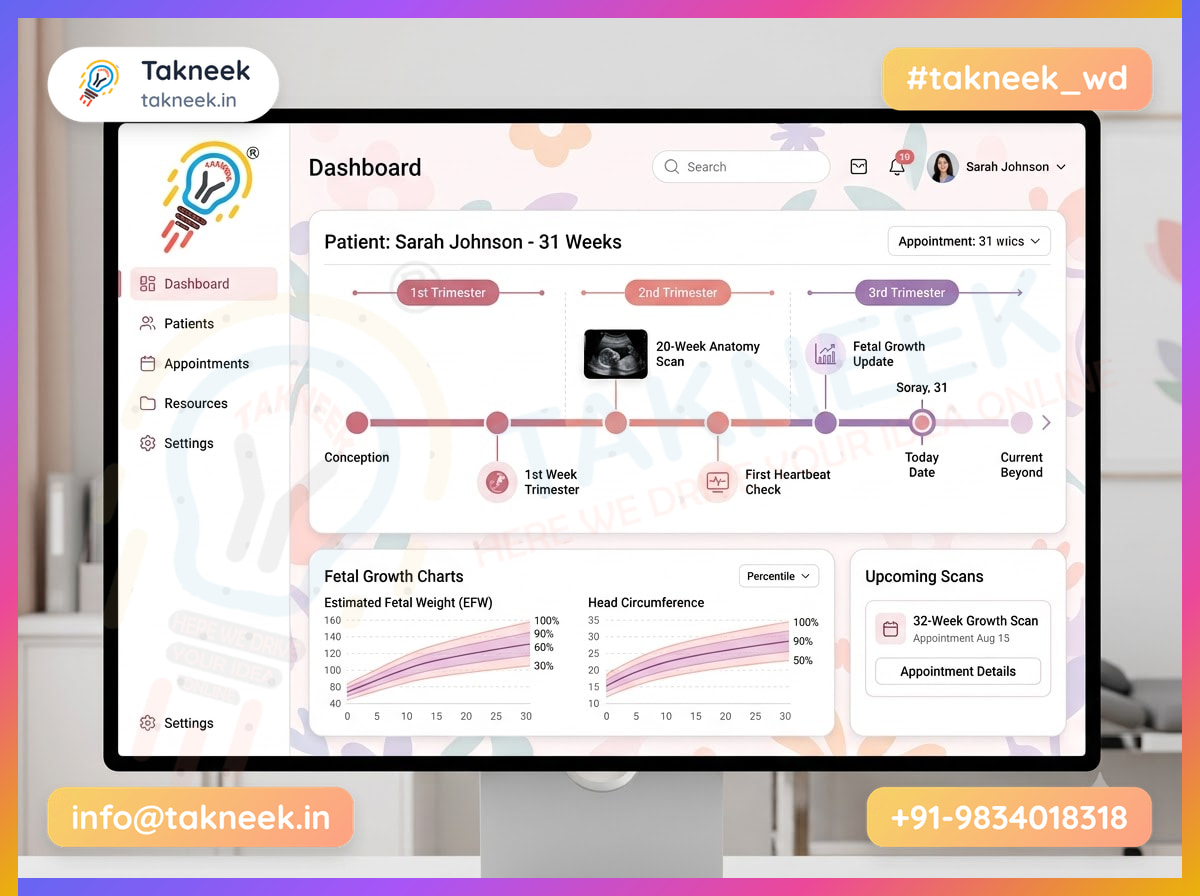
When evaluating gynecology clinic management software, check how ultrasound logs record detailed fetal growth measurements across trimesters. Storing specific ultrasound parameters in structured fields helps you monitor fetal development and spot growth restrictions early.
Essential parameters to track in structured ultrasound logs include:
- Biparietal diameter (BPD) and head circumference (HC)
- Femur length (FL) and abdominal circumference (AC)
- Serial fetal weight estimates and gestational age correlations
When writing prescriptions, practical gynecology clinic management software offers pre-built gynecology medication templates. These structured modules help you select appropriate drugs while accounting for trimester-specific safety considerations. Watch out for software that lacks pre-set dosage defaults for standard prenatal vitamins and supplements, as manual typing increases room for error during quick consultations.
Whether running a maternity clinic in Indore or an outpatient practice across Madhya Pradesh, targeted gynecology clinic management software keeps clinical documentation accurate. It ensures that scan files, past history, and advice remain linked to the patient record throughout her entire care journey.
Managing Antenatal Care Schedules and Patient Communication
Streamlining Antenatal Visit Schedules
Managing antenatal care in a busy practice in Bhopal requires tracking calculated gestational age and expected delivery dates across every trimester. When evaluating gynecology clinic management software, look for systems that automatically calculate gestational age from the last menstrual period date. The software should map out standard check-up schedules—monthly until 28 weeks, bi-weekly until 36 weeks, and weekly until delivery—without requiring manual math.
For patient outreach, look for direct integration with the WhatsApp Business Platform to send automated appointment confirmations. Instead of front-desk staff calling patients individually, the system triggers friendly text messages when a visit is scheduled or updated. Patients can confirm or request a new time slot directly from their phones, keeping the day's consultation list accurate.
Delivering Lab Updates and Test Reminders
A dedicated gynecology clinic management software simplifies how patients receive clinical updates between visits. Once blood work or ultrasound notes are finalized, the system generates prescription summaries and lab reports to send directly to patient phones. This reduces footfalls at your front counter for report collection while keeping expectant mothers informed.
Care teams need predictable systems to track routine investigations across all trimesters. Look for software that logs clinical protocols and patient milestones to maintain full continuity:
- Record the initial LMP date to calculate gestational milestones automatically.
- Configure automated alerts for routine blood investigations, such as blood sugar tests or hemoglobin screens.
- Send customized recall reminders for adult vaccinations and newborn immunization dates.
When adopting gynecology clinic management software, ensure templates allow quick customization for specific clinical needs. Watch out for systems that send rigid alerts without checking whether an investigation was already uploaded. A properly setup gynecology clinic management software helps your practice maintain consistent patient communication throughout the pregnancy journey.
Secure Electronic Medical Records and Digital Health Records
Protecting Data Against Hardware Loss and Intrusion
Reproductive health records contain deeply private clinical notes, fertility tracking data, and diagnostic scans. Effective role-based access control restricts sensitive files based on staff duties. For instance, your receptionist views appointment slots and billing details, while nurses access vitals, and doctors see full medical histories. When selecting gynecology clinic management software, verify that granular permission settings prevent unauthorized staff from reading private clinical logs.
If a clinic computer in Indore suffers a hard drive crash or liquid spill, physical records stored on that device disappear forever. Cloud infrastructure used by gynecology clinic management software automatically backs up patient files to encrypted offsite servers in real time. If hardware breaks, you simply log in from a fresh tablet or laptop and resume your consultations without losing a single antenatal record.
Maintaining Record Standards and Integrity
Structured data formats make sure digital health records remain accessible across modern healthcare networks. Standardized record formats in gynecology clinic management software ensure clinical summaries remain structured when sharing reports with external labs. Look for platforms that organize diagnostic data to support national health framework standards like ABDM.
Audit logs record every interaction within a patient chart to maintain accountability. A complete system logs the user account, exact timestamp, and specific change whenever someone views, edits, or prints a record. Advanced gynecology clinic management software maintains automated audit logs to track every user action behind the scenes.
Watch out for systems that lack transparent data security mechanisms. Before adopting a digital system, evaluate these key safeguards:
- Role isolation: Restricts receptionists, lab technicians, and doctors to relevant patient views.
- Encrypted backups: Preserves patient files on secure cloud servers during hardware failures.
- Tamper-evident tracking: Prevents users from altering or deleting audit trails silently.
Pricing Models and Cost Considerations for Gynecology Clinic Management Software
When evaluating gynecology clinic management software, you will generally encounter two main financial structures: monthly subscriptions and one-time software licenses. A single upfront payment might seem cost-effective initially, but it rarely covers long-term technical support or software updates. Subscription plans spread costs into predictable monthly payments that typically include ongoing maintenance, cloud backups, and regular feature enhancements.
Uncovering Hidden Software Expenses
Before committing to a vendor, request an itemized list of potential recurring charges. Pay close attention to messaging costs, as per-SMS delivery charges can accumulate rapidly during busy patient recall campaigns. You should also check if adding extra staff logins, visiting consultants, or new procedure rooms triggers higher tier pricing or unexpected upgrade fees.
Cloud Systems and Budget Planning
Comparing cloud-hosted software with local desktop installations reveals significant long-term differences in maintenance. On-site servers demand local IT support, dedicated hardware upgrades, and physical backup management. Cloud-based gynecology clinic management software removes physical hardware maintenance, allowing doctors to access records safely through encrypted web channels without paying for local server upkeep.
Budget planning depends directly on your daily patient volume, doctor headcount, and specific module requirements. Smaller practices often choose scalable gynecology clinic management software to start with core prescription tools before adding specialized clinical modules. Suppose a single-doctor practice in Indore wants a structured pricing path; selecting flexible tiers helps control initial setup expenses.
For instance, Gynecology OS options start at ₹499 per month for a branded website and appointment form with a ₹2,100 one-time setup fee. Higher tiers like the Growth plan at ₹999 per month include full clinical dashboards, while the Pro plan at ₹2,100 per month adds WhatsApp communication and patient apps. Selecting the right gynecology clinic management software ultimately depends on total features transparently matched to your daily operational workflow.
Here is a simple guide to matching your clinic size with required software capabilities:
- Solo OPD Practices: Focus on digital prescriptions, appointment forms, and basic billing tools.
- Multi-Doctor Clinics: Look for role-based access control, shared patient files, and staff activity tracking.
- Full Maternity Centers: Select tiers including antenatal milestone tracking, ultrasound logs, and automated WhatsApp patient reminders.
Evaluating Usability and Staff Onboarding Efficiency
Streamlining Clinical Workflows and Front-Desk Training
Selecting the right gynecology clinic management software starts with assessing how quickly your consulting team can adapt. Busy doctors need clinical interfaces designed to reduce keyboard entry during packed OPD hours. Look for systems offering point-and-click clinical notes and customizable prescription templates. For example, rather than typing long drug dosages manually, a doctor can select a pre-saved antenatal supplement protocol in two quick clicks.
Front-desk staff and nursing assistants also require simple screens to maintain efficient patient flow. When evaluating gynecology clinic management software, ask vendors to demonstrate how a receptionist registers a walk-in patient or records vitals. Role-specific dashboards show administrative staff only the buttons they need daily, avoiding multi-step form confusion. Clear layouts ensure fast onboarding, allowing new receptionists to handle patient check-ins confidently within days.
Offline Operational Features and Support Access
Intermittent broadband interruptions or power cuts should never disrupt your ongoing patient consultations. A practical gynecology clinic management software includes offline data entry capabilities that protect your daily workflow. This functionality saves clinical notes, vitals, and prescriptions locally whenever the internet drops. Once network connectivity returns, the system automatically synchronizes these temporary local records with your central cloud database without losing patient information.
Before selecting a system, evaluate these usability factors during your product demonstration:
- Speed of generating a clinical prescription using pre-built templates
- Ease with which front-desk staff record patient registration details
- System data stability when disconnected from an active internet connection
- Direct availability of telephone assistance during peak clinic hours
Finally, the long-term usability of gynecology clinic management software relies on accessible post-implementation support. Having vendor assistance in regions like Bhopal provides practical help when technical questions arise. Responsive local support teams ensure fast troubleshooting, preventing minor software glitches from turning into stressful patient delays during consulting hours.
Step-by-Step Plan to Implement New Practice Management Systems
Before selecting any gynecology clinic management software, document your clinic's existing physical routines. Trace how an antenatal patient moves from the front desk to the consulting room and lab. Note who records vital signs, who transcribes scan findings, and where paper files sit during visits. Mapping these manual touchpoints prevents buying software that clashes with your daily care routine.

Testing and Data Standardization
Running a short trial period with gynecology clinic management software alongside legacy registers lets staff adjust smoothly. For instance, your reception team in Indore can enter patient check-ins digitally while maintaining paper logbooks as a reliable backup. This dual-system testing reveals front-desk bottlenecks and lets nurses build data entry speed without risking lost patient notes.
Next, establish strict record entry standards across all consulting gynecologists and clinical staff. Clear guidelines keep every patient chart readable and organized across shift changes:
- Standardize drop-down selections for clinical notes and routine diagnoses.
- Fix numeric formats for logging gestational age and ultrasound measurements.
- Assign specific staff roles for uploading external lab test reports.
Standardizing how your medical team inputs data into gynecology clinic management software prevents cluttered, incomplete patient histories. This structure helps on-call doctors review past obstetric details instantly during late-night maternity emergencies.
Refining Daily Workflows
Gather immediate, daily feedback from receptionists, assistant doctors, and nursing staff during the first few weeks of full use. Ask specific operational questions about where data entry feels slow or where patient communication gets delayed. Use these insights to tweak user permissions, shortcut templates, and daily responsibilities.
Watch out for small, unaddressed delays that tempt busy staff to slip back into paper shortcuts. Adopting gynecology clinic management software succeeds best when you actively refine daily steps based on what your team experiences at the desk and in the chamber.
How to Transition from Paper Files to Digital Workflows
Digitizing Patient Records in Phases
Do not attempt to scan every historical file from the past five years on day one. Focus first on active antenatal patients who visit your clinic every few weeks. Enter their gestational age, key ultrasound values, and blood test results directly into your gynecology clinic management software. Older records for inactive patients can stay in paper archives until they schedule a new appointment.
External lab reports and diagnostic imaging prints need an organized scanning process. Place a high-speed scanner at the nursing counter for immediate document processing. Staff should name each digital file using a standard pattern, like patient ID and test type, before uploading it to your gynecology clinic management software.
Here is a practical workflow for processing physical lab files:
- Front desk receives paper test results from the patient.
- Staff scans documents into standard PDF files.
- Staff attaches PDFs directly to the active patient record.
- Paper originals sit in a daily physical folder for evening review.
Running a Safe Hybrid System
Keep physical paper charts easily accessible during your first month of transition. Running your gynecology clinic management software while keeping physical files nearby provides a practical safety net for your staff. Once a patient's digital chart is verified across two consecutive visits, the paper folder can move to long-term storage.
Train nursing staff to perform a systematic verification step before every doctor consultation. Before guiding a patient into the doctor's room, the nurse opens the digital chart and verifies that recent lab entries match the paper files. Choosing practical gynecology clinic management software helps nurses finish this verification routine quickly.
Watch out for missing pages when staff scan multi-page ultrasound reports. Assign a lead nurse to audit five random patient profiles at the end of every working day in your Indore clinic. Catching incomplete uploads early keeps your digital database accurate and safe for clinical decision-making.
Frequently Asked Questions
What is gynecology clinic management software?
Dedicated gynecology clinic management software is a specialized digital platform designed for women's healthcare practices. Unlike basic record tools, it handles clinical tasks like calculating due dates, tracking pregnancy trimesters, storing fetal ultrasound logs, and managing fertility protocols. It helps streamline your daily consultations, prescriptions, and administrative tasks in one system.
How does ANC tracking work in gynecology clinic software?
In specialized gynecology clinic management software, the system computes the gestational age and estimated date of delivery from the last menstrual period date. It generates milestone tracking across trimesters, logs fetal growth measurements such as BPD and FL, and stores ultrasound reports. Automated WhatsApp notifications remind patients about scheduled antenatal checkups and immunizations.
Can small maternity clinics in Madhya Pradesh use cloud clinic software?
Yes, small practices across Madhya Pradesh can easily adopt cloud systems. Tailored gynecology clinic management software runs directly inside a web browser on a laptop or tablet, avoiding the need for physical servers. With entry-level plans starting at ₹499 per month plus a one-time ₹2,100 setup fee, independent maternity centers can run modern digital workflows without large budget commitments.
Is patient medical data secure in cloud-based gynecology software?
Security relies on the underlying system architecture. Look for encrypted cloud infrastructure built with multi-tenant isolation to ensure your clinical data stays strictly private. Role-based access controls let receptionists manage appointments without seeing sensitive clinical notes, restricting medical files, scan reports, and prescription histories solely to authorized doctors and nurses.
How long does it take to train clinic staff on new software?
Most front-desk team members master appointment booking and billing within a day because the interfaces mirror familiar mobile apps. When using intuitive gynecology clinic management software, doctors can begin writing digital prescriptions immediately using pre-built medication templates. Brief guided onboarding sessions usually get the entire clinic running smoothly without interrupting patient care schedules.
Final Thoughts on Gynecology Clinic Management Software
Selecting the right gynecology clinic management software comes down to matching your actual daily clinical workflows, from tracking trimester milestones to managing follicle scans. The right platform keeps complete patient histories, ultrasound logs, and customized prescriptions organized in one accessible record. This clarity saves vital time during busy OPD hours.
Strong cloud security paired with automated WhatsApp updates reduces missed appointments and keeps parents informed about newborn immunisations. Moving your clinical records into specialized gynecology clinic management software protects patient privacy while keeping your front desk running smoothly. Practices across Indore find that structured digital workflows make staff onboarding simple and fast.
Take the next step by reviewing where paper charts or general tools slow down your daily routine. Reach out to Takneek to request a free Gynecology OS demo and see how purpose-built gynecology clinic management software supports every stage of maternal and child care.